How I Built My FSD Hardware Display for Chattanooga Charge
A behind-the-scenes look at how I designed and built a Tesla FSD hardware display for Chattanooga Charge — from Figma drawings and Gemini previews to cutting wood, wrestling with acrylic adhesives, and getting it into the trunk in time.
I started working on this project on February 26. My goal was to create a display for Chattanooga Charge that would show off Tesla's FSD hardware in a way that felt clean, technical, and similar to the kinds of displays Tesla uses in its own Service Centers.
The Concept
To start, I gathered some reference images from Tesla's displays and used those as inspiration to create a drawing in Figma. That gave me a clear direction for the layout, proportions, and overall look I wanted.
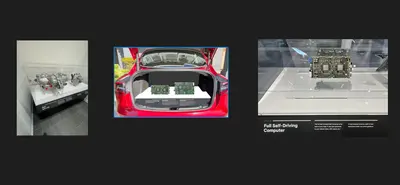
After that, I sent the drawing to Gemini to generate a preview of the concept. That preview helped me visualize what the finished display could look like before I started cutting any materials.
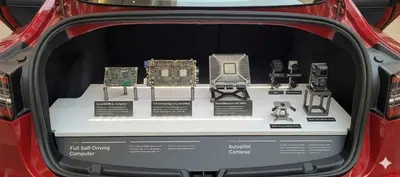
The Physical Build
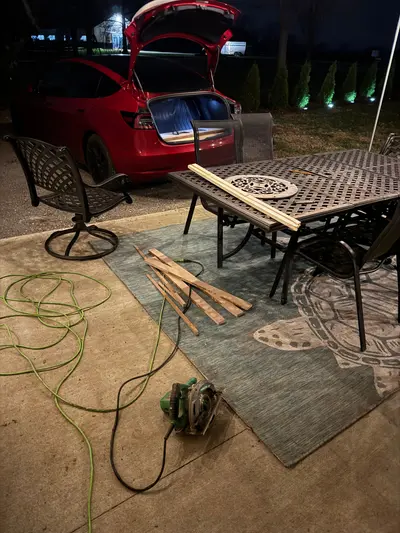
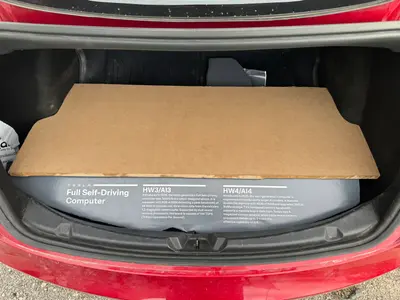
Once I had the design direction figured out, I moved into the physical build process. I first used cardboard to figure out the dimensions and make an initial mockup. That let me test sizing and angles without wasting any expensive materials. After I was happy with that, I cut out the front slanted piece from a sheet of 3/4-inch wood from Lowe's, using my school's bandsaw.
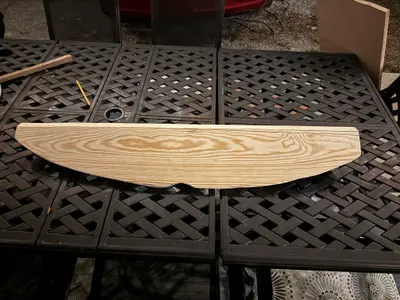
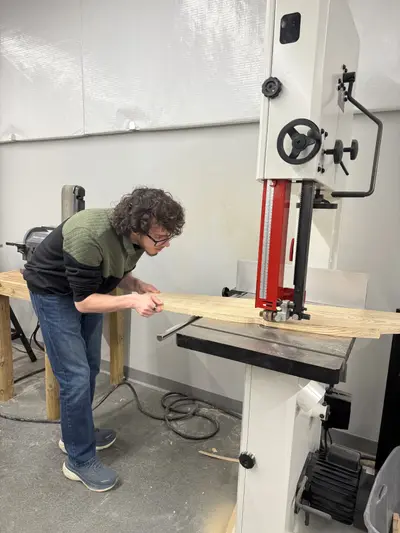
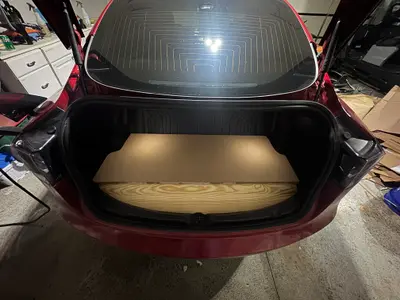
Next, I cut a piece of fiberboard from Lowe's down to size with a borrowed bandsaw from my school. After getting the general shape right, I brought it home and used a table saw to keep trimming it down until it fit perfectly in the trunk. A lot of this project was basically measuring, cutting, testing, and repeating until everything sat the way I wanted.
Wrapping and Covering
Originally, I planned to wrap the front slanted wood piece with custom printed car vinyl. That would have looked the best, but getting it printed would have cost over $300, which was way too expensive for this project. Instead, I used printed paper with an adhesive backing, which was much more affordable. The downside was time — on average, it took 4 to 6 days for each print to be completed and picked up from the print shop, so I was working with a pretty tight schedule.
The first time I applied the printed paper, it looked terrible. It was crooked and just did not come out the way I wanted. So I got another one printed and tried again. That attempt also turned out pretty bad and crooked. By that point, I was running out of time, and if I had waited for another print, I would have already left for the event. So I ended up manually splicing together the cut pieces myself. After a few hours of working on it, I got it to a point where it looked presentable.
If I were to do this project again, I would definitely take more time on the front slanted piece. Ideally, I would scan the trunk with LiDAR and then have that piece cut more precisely, probably with a laser cutter or another more exact method. That would make the front surface more level and give the printed design a much cleaner final look. I also would probably spend the extra money on a proper printed vinyl wrap for that front piece. Even so, I think it turned out pretty well in the end.
Once the front section was wrapped, I ordered the matte white car wrap vinyl that I used for the main fiberboard surface. When it arrived, I wrapped the board, and while the vinyl did not stick especially well to the fiberboard, I was still really happy with how it turned out. It took a few hours, a heat gun, and a lot of squeegeeing, but the final result looked clean and modern — which was exactly what I wanted.
The Acrylic Stands
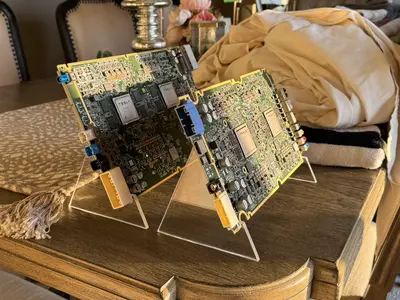
After that, I moved on to the acrylic stands that hold the FSD hardware itself. Cutting the acrylic was actually one of the easier parts of the project. I used a bandsaw to cut the shapes and then cleaned up the edges with 2000 grit sandpaper.
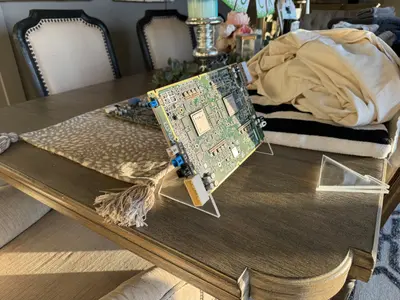
The harder part was connecting the two acrylic pieces on each side so I could make stable stands that were also easy to move around. At first, I tried epoxy. I clamped everything together and let it sit for 48 hours. As soon as I removed the clamps, it basically fell apart. After that, I tried several types of super glue and other adhesives, but nothing held strongly enough. Finally, I used some CA glue I had lying around for 3D printed parts, and it worked amazingly well. From my experience, a lot of the advice I found online about acrylic adhesives was not very helpful for this kind of application. For this specific use, CA glue ended up being the best option by far.
The Finished Display
By the end of the project, I was really happy with how everything came together. It was not perfect, and there are definitely things I would improve if I built a second version, but I am proud of the result. The display looked good in the car, showed off the hardware well, and accomplished what I wanted it to do for Chattanooga Charge.
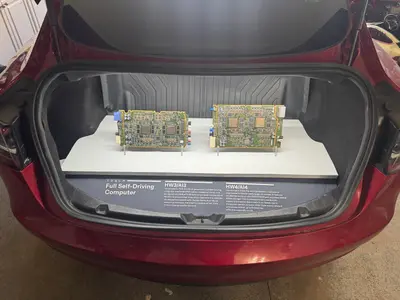
I hope you enjoyed seeing this display in person at the event, or at least seeing it here if you were not able to attend. I also hope to bring this display to more Tesla events in the future and continue improving it over time.
I will also be writing more about my work around Tesla FSD hardware soon, including:
- FSD hardware photography, including media-use images I plan to publish
- Reverse engineering HW3 and HW4 to get them running on a test bench
- The rumors and evidence around HW5, and what it could potentially look like — unless Tesla announces it before I get the article out
Thanks for reading, and have a great day.
Koby Pierce